The quote says "HDR-capable." The show file is SDR. Or the camera is HLG and the wall is still set for PQ. That mismatch is how rental and live buyers pay for a sticker and inherit clipped highlights, flat blacks, or a wall that looks no better than a well-calibrated SDR job.
HDR on an LED video wall is not a cabinet badge. It is an end-to-end agreement: content -> switcher / media server -> LED processor -> receiving cards -> panel grayscale and calibration at the brightness you actually run. A panel labeled "HDR" with an SDR loop, an 8-bit bottleneck, or a transfer-function mismatch is not delivering HDR. It is delivering confusion.
This post owns the HDR vs SDR decision. Our live 3840 Hz vs 7680 Hz and moiré / refresh posts still own camera flicker. Our nits vs lumens post owns brightness language. Our power & signal redundancy post owns keeping the wall lit. Here we answer only: when buyers actually need HDR (HLG/PQ), what the full chain requires, and when honest SDR is enough.
Quick definitions (clear the name collision)
| Term | What it means | What it is not |
|---|---|---|
| SDR (Standard Dynamic Range) | Typical live/corporate delivery: ~Rec.709 gamut, often 8-bit, limited highlight/shadow stretch | Not "low quality" – most lyrics, slides, and loops are honest SDR |
| HDR (High Dynamic Range) | Wider luminance range + more tonal precision so highlights and near-black can coexist | Not "brighter brochure nits" alone |
| HDR10 | Open HDR delivery using PQ + static metadata for mastered programs | Not automatic live/broadcast default |
| HLG (Hybrid Log-Gamma) | Scene-referred HDR transfer common in live / broadcast; designed with SDR backward-compatible traits; no static metadata burden like PQ | Not interchangeable with PQ without mapping |
| PQ (Perceptual Quantizer / ST 2084) | Display-referred HDR curve used by HDR10 (and related mastered workflows); peak metadata matters | Not "just turn brightness up" |
| Rec.709 | Common SDR color gamut / studio encoding target | Not Rec.2020 |
| Rec.2020 | Wide color gamut often paired with HDR pipelines | Not proof the wall is calibrated to it |
| Bit depth (8 / 10 / 12-bit) | How many tonal steps the path can carry; HDR usually needs 10-bit or better end-to-end | Not the same as refresh rate |
| Tone mapping | Mapping HDR (or log) content onto what the display can actually show | Not a substitute for matching HLG vs PQ |
Industry language is blunt: HDR needs the chain. Peak nits without clean near-black and gradients at operating brightness is not HDR – it is a bright SDR wall with marketing copy.
Why this question stays hot for buyers
2026 rental and stage guides keep repeating the same expensive mistake: renting an HDR-capable panel and feeding it SDR content. Live-production writeups keep showing another: HLG out of the switcher into a wall expecting PQ (or the reverse) – clipped highlights, lost shadows, oversaturated or flat looks.
We are not inventing engagement scores. Indexed 2026 trend pieces, live-HDR workflow explainers, rental-processor HDR10/HLG feature lists, and durable CN "HDR vs 普通屏 / 先看间距亮度刷新"选型 language are enough heat for an honest OEM answer. Live Google PAA and social spike counts were not scraped this pass – so we do not invent them.
The full chain (content -> wall)
Treat HDR as five linked owners. Break any one and the sticker fails:
- Content – Live cameras / IMAG graded for HLG (or a true PQ/HDR10 master). SDR lyrics packs do not become HDR because the wall can accept HDR.
- Switcher / media server – Same transfer function and a 10/12-bit path out. Do not "fix it in post" after the wall already clipped.
- LED processor – HDR10 / HLG mode actually enabled and tested on this controller. Common rental processors advertise HDR10/HLG – that is necessary, not sufficient.
- Receiving cards – Bit depth and grayscale capacity that match the processor mode (HDR loading can change Ethernet / port capacity on some families – ask in writing).
- Panel + calibration – Peak capability and clean near-black / gradients at the operating brightness you will run in the room or on the festival face – plus cabinet/module calibration after hang.
Honest facts (no lab theater)
- A panel "HDR" label alone is not enough.
- HLG is common for live/broadcast and carries backward-compatible traits for mixed environments; PQ / HDR10 is display-referred with metadata – do not mix PQ and HLG in one unmanaged chain.
- Higher bit depth (10/12-bit) + calibration + grayscale at operating brightness matter more than a peak-nits boast.
- 3840 Hz refresh ≠ HDR. Refresh is about camera flicker and smoothness under shutters – see 3840 vs 7680 and moiré.
- SDR content on an HDR-capable wall adds little value. You paid for headroom you never encoded.
HLG vs PQ for live vs mastered content
| Question | HLG | PQ / HDR10 |
|---|---|---|
| Typical home | Live sports, events, broadcast IMAG | Mastered films, graded launches, many post pipelines |
| Metadata | No static HDR10-style metadata burden | Static (HDR10) peak / mastering metadata matters |
| SDR coexistence | Designed with backward-compatible traits | Needs careful mapping onto SDR displays |
| Common failure | Wall/processor still set to PQ | Wall/processor still set to HLG; wrong peak metadata -> flat or overexposed |
| Buyer rule | Lock one transfer function for the whole show file and processor mode | Same – lock one, rehearse on the real wall |
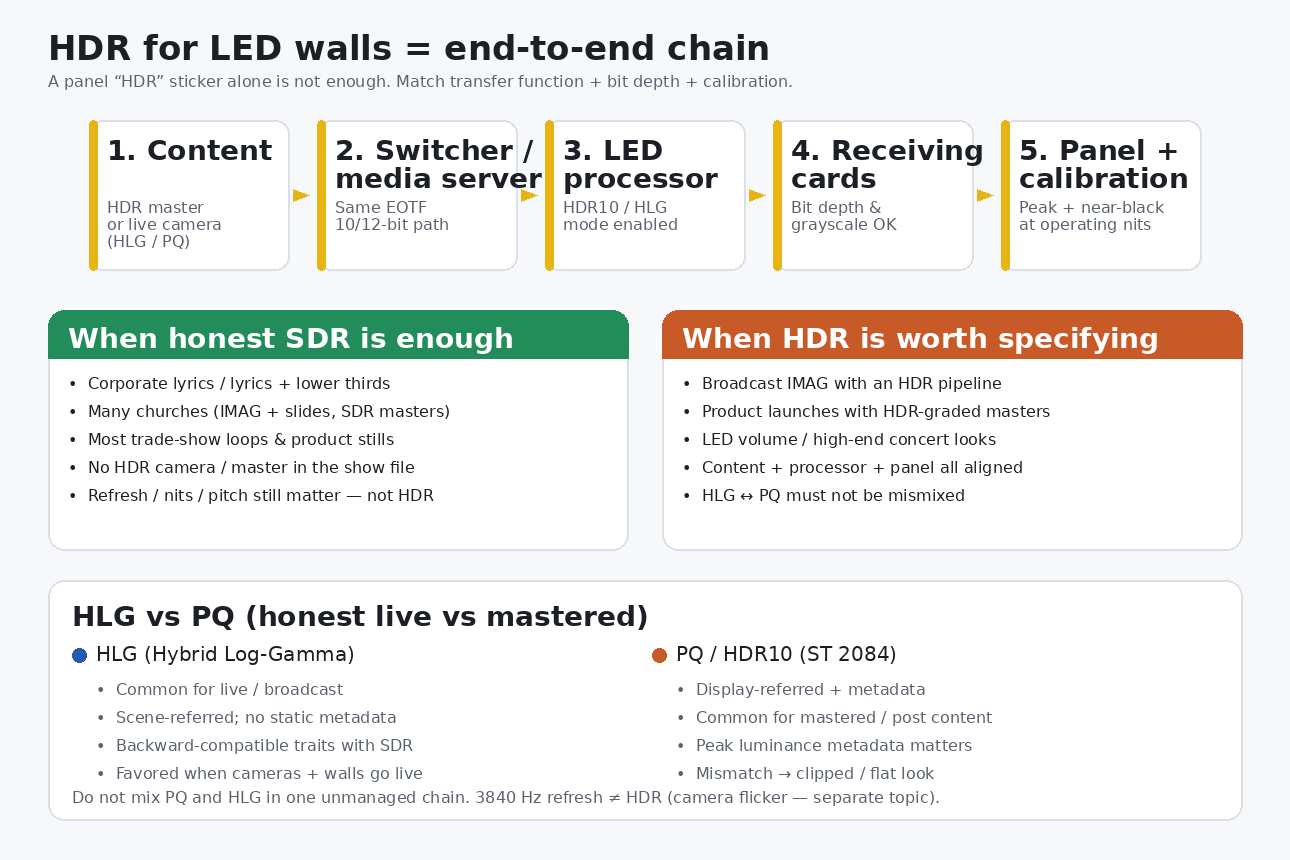
Live houses of worship, festivals, and broadcast trucks often favor HLG when cameras and walls must stay live without a heavy metadata dance. Product launches and LED-volume looks that arrive as HDR10 masters often land on PQ. Neither is "better" in the abstract. Mismatch is worse than either.
We name transfer functions and processor families generically ("common rental processors"). We do not need competitor LED panel brands to make the RFQ clear.
When honest SDR is enough
Say this out loud on the site survey:
- Corporate lyrics, lower thirds, and slide decks – almost always SDR. Spend the budget on pitch, brightness, and hang – not an HDR line item.
- Many churches – IMAG + lyrics + motion backgrounds frequently stay SDR end-to-end. HDR only if the camera/processor pipeline is truly HDR and the creative needs it.
- Most trade-show loops – product stills and timed videos mastered in SDR.
- Any show whose media server playlist is entirely Rec.709 / SDR – an HDR-capable wall will not invent highlight detail that was never encoded.
- Jobs where the real risks are daylight visibility, weather, or power – use nits vs lumens, the festival checklist, and power & signal redundancy instead of an HDR upsell.
Honest SDR, well calibrated, with the right pitch and nits, still looks like a professional wall. HDR is not a moral upgrade.
When HDR is worth specifying
Write HDR into the PO when all of the following are true (or will be before show day):
- Broadcast / camera IMAG with an HDR pipeline – cameras, switcher, and wall agree on HLG or PQ.
- Product launches with HDR-graded masters – the agency delivers PQ/HDR10 (or agreed HLG) and has LUTs/profiles for the wall family.
- LED volume / high-end concert looks – creative depends on highlight retention, near-black, and wide gamut that SDR would crush.
- Processor + receiving cards + panel calibration are contracted and rehearsed – not assumed from a brochure checkbox.
- Someone owns tone mapping / monitoring so the wall is not guessing.
If any link is missing, prefer honest SDR and put money into pitch, refresh for cameras, brightness, or redundancy.
RFQ checklist (copy into the PO)
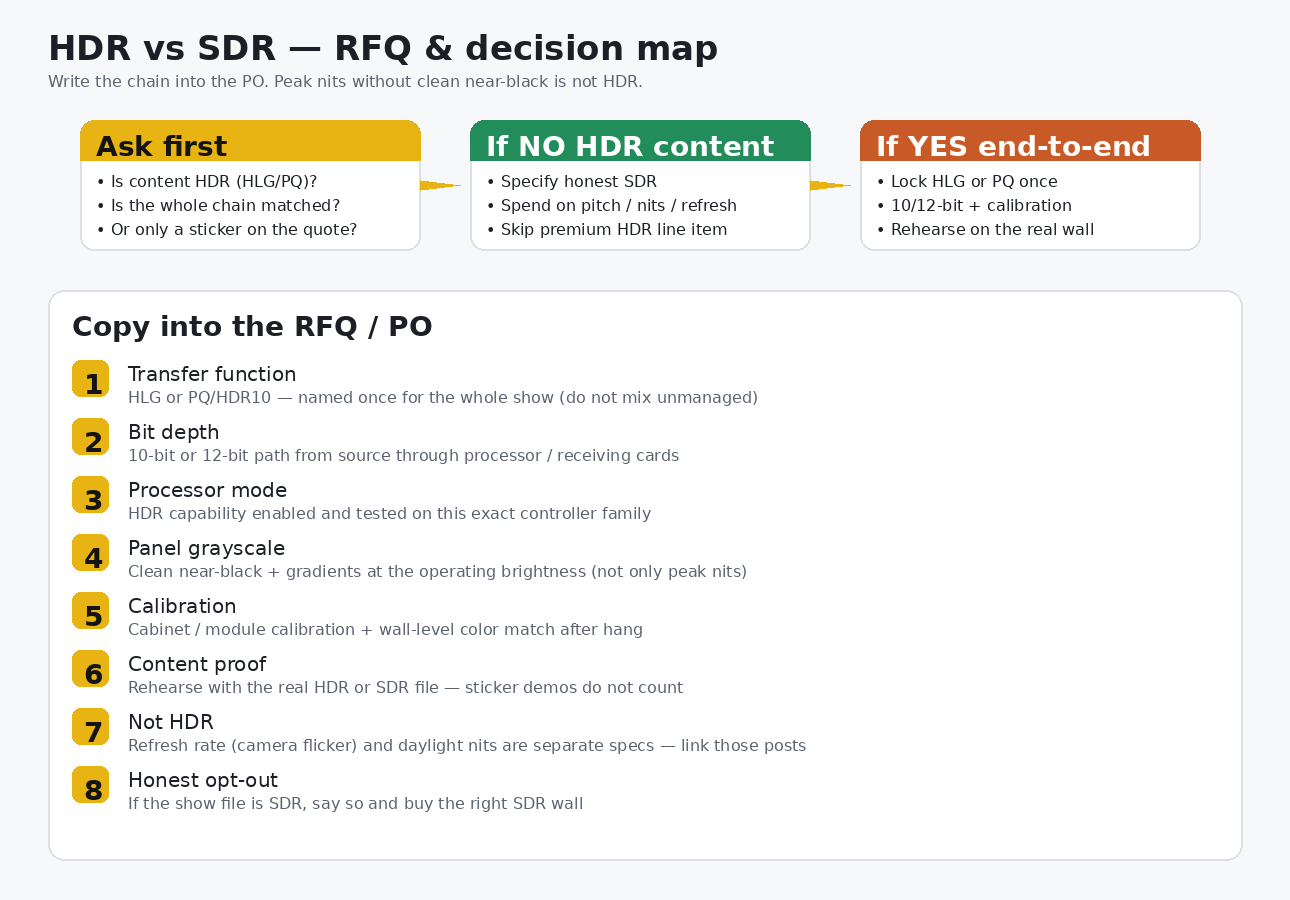
Ask for written answers, not brochure slogans:
- Transfer function named once: HLG or PQ/HDR10 for this show – no unmanaged mix.
- Bit depth: 10-bit or 12-bit from source through processor and receiving cards.
- Processor mode: HDR capability enabled and tested on the exact controller family you will hang.
- Receiving-card compatibility: Confirm cards and port loading under the HDR bit-depth mode.
- Panel grayscale at operating brightness: Gradients and near-black at the nits you will actually run – not only a peak-white demo.
- Calibration plan: Module/cabinet calibration + wall-level match after hang; who brings the probe.
- Content proof: Rehearse with the real HDR or SDR show file. Sticker reels do not count.
- Separate specs: Refresh (camera flicker) and daylight nits stay their own lines – do not pretend they are HDR.
- Honest opt-out: If the playlist is SDR, write "SDR delivery" and skip the premium HDR line item.
Browse rental series and how to choose an LED display as starting points, then paste the checklist onto the PO.
How this sits next to related posts
| Post | Owns |
|---|---|
| This article | HDR vs SDR decision, HLG/PQ, full chain, when SDR is enough, RFQ |
| 3840 Hz vs 7680 Hz / moiré | Camera flicker and refresh – not HDR |
| Nits vs lumens | Brightness language for visibility |
| Power & signal redundancy | Keeping pixels powered and fed when a path fails |
| Outdoor festival checklist | Full tour list: weather + power + hang + crew |
| How to choose | Broad selection framing |
What SFxDisplay can help with (honest scope)
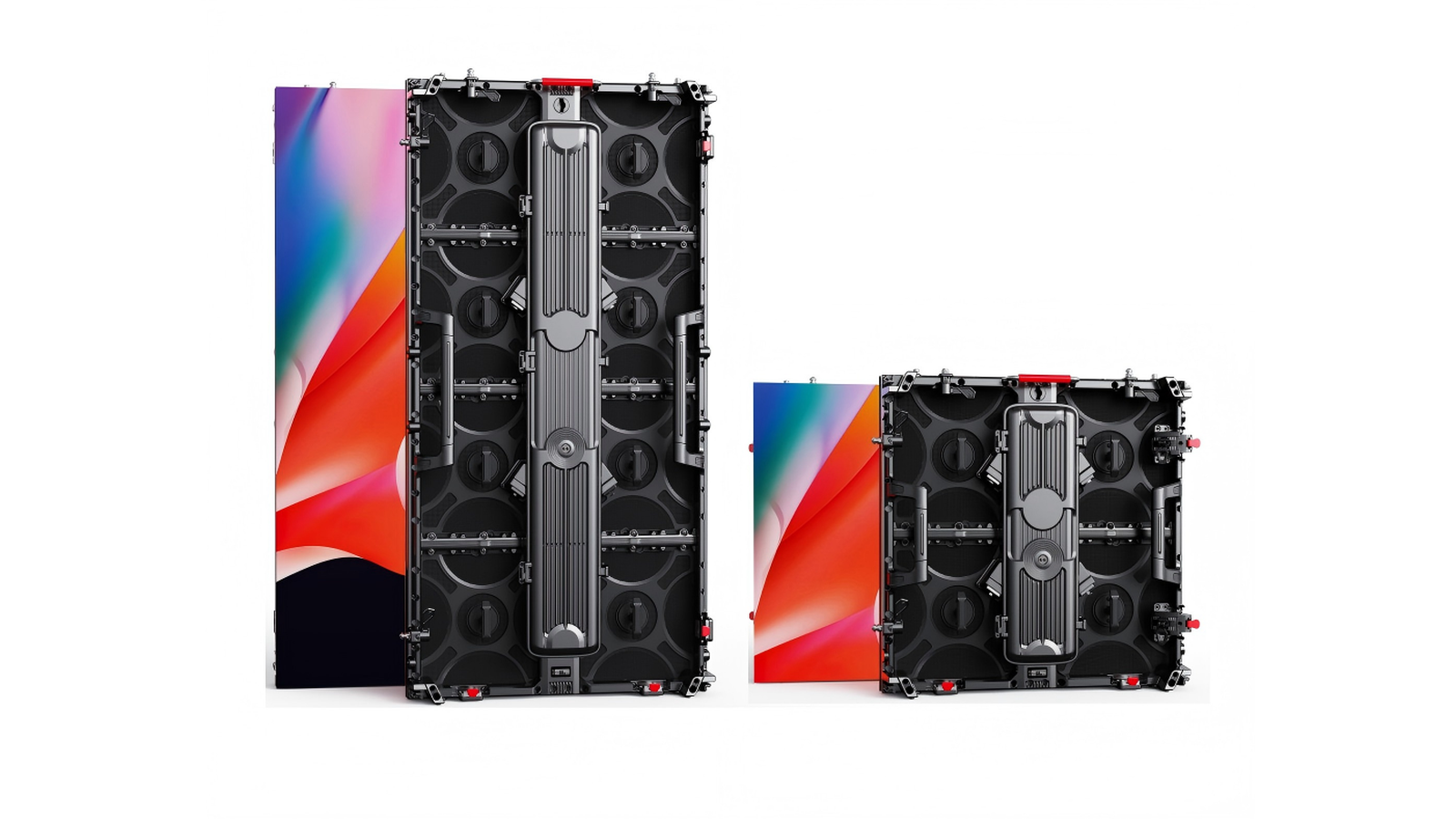
We build rental and fixed LED cabinets and can help you specify whether the job is honest SDR or a real HDR chain, which transfer function to lock, and what to ask processors and receiving cards before the PO freezes. We can walk corporate / church / festival / launch geometry against the media you will actually play.
We cannot turn a datasheet "HDR" checkbox into a graded master, invent an end-to-end pipeline your vendor does not support, or promise that peak nits alone equal HDR. Bring the show file and the processor family, lock HLG or PQ once, and rehearse on the real wall.
Bottom line
"HDR-capable" is not a specification. SDR is enough for most lyrics, slides, and trade-show loops. HDR earns its line item only when content, switcher/media server, processor, receiving cards, and calibrated panels share one transfer function (HLG or PQ) and enough bit depth for clean gradients – including near-black at operating brightness.
Do not rent an HDR wall to play SDR. Do not mix HLG and PQ unmanaged. Do not confuse refresh rate with dynamic range. Write the chain into the PO – or write SDR and spend the money where the audience will notice.
—