
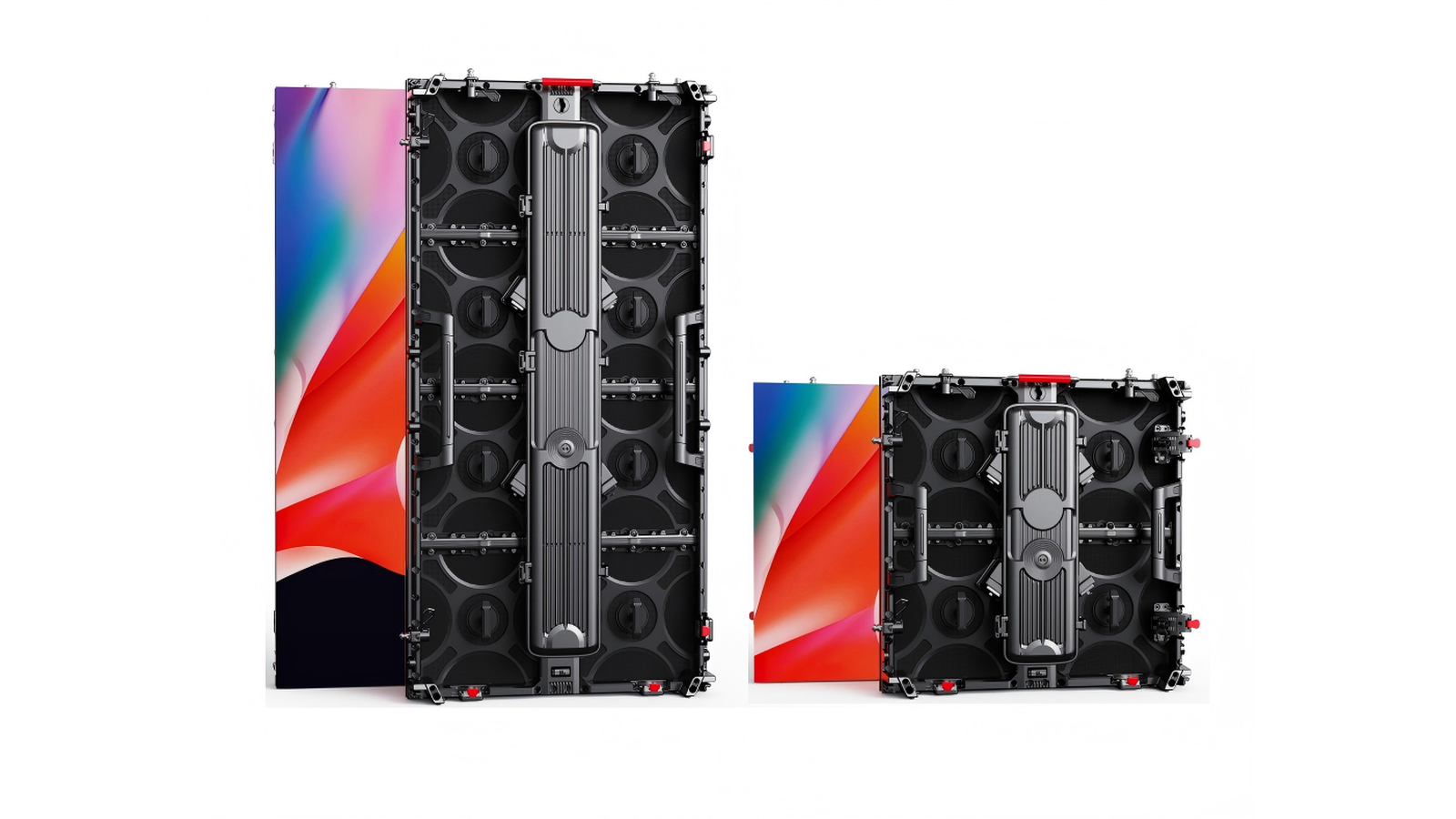

Two RFQs can both say “front maintenance” and still leave you with the wrong hardware: rear screws that need a corridor you do not have, bare magnets that shift under tour vibration, or a latch cycle life nobody wrote down. Module fixing is how the module holds to the cabinet. It is not the same question as front vs rear service (which way a tech reaches the parts), and it is not soft vs hard connection (how cabinets lock to each other / how data HUBs mate).
This post owns only the module↔cabinet hardware story: screw, magnetic, and front-locking (latch / snap-fit) — which scenes public OEM comparison guides usually map them to, what fails outdoors or on rough tours, and which RFQ lines force a comparable answer before you compare price.
Quick definitions (clear the name collision)
| Term | What it means | What it is not |
|---|---|---|
| Module fixing (模组固定) | How one LED module is held onto its cabinet — screws, magnets, or a mechanical latch | Not cabinet-to-cabinet locks |
| Screw-fixed | Module seated with mechanical screws (often from the rear; some designs use front-accessible screws) | Not “always slower forever” — but it usually needs tools and access |
| Magnetic (磁吸) | Neodymium magnets + steel face (often with alignment pins) so the module seats from the front, tool-free | Not a weather / vibration free pass |
| Front-locking / latch / snap-fit (前锁扣 / 快拆) | Mechanical clip or latch that holds the module from the front without relying on magnets alone | Not the same as soft/hard cabinet locks |
| Front vs rear service | Access route — where a tech stands to reach modules, cards, PSUs | Owned by our front vs rear guide |
| Soft vs hard connection | Cabinet-to-cabinet locks and data HUB mating on rental fleets | Owned by our soft vs hard guide |
| SFF-IS / SFF-IH / SFF-IC | SFxDisplay indoor fixed model naming for cabinet connection types (soft / hard / COB-class indoor fixed lines) | Not module magnet vs screw language — do not blur |
| Cannot convert | Fixing method is built into the mold / PCB design | Not a field upgrade you bolt on later |
If a seller says only “front maintenance,” ask: magnets, screws, or latch? — then ask for tools, indoor/outdoor suitability, and cycle rating.
How screw / magnetic / front-locking each hold the module
Public OEM comparison writing through 2026 keeps teaching the same three principles:
| Method | Hold principle | Typical access | Tool story (literacy) |
|---|---|---|---|
| Screw | Mechanical fasteners clamp the module to the cabinet frame | Often rear screws; some front-screw variants exist | Allen / screwdriver — minutes-class swap in OEM framing |
| Magnetic | Neodymium magnets pull the module to a steel face; pins keep registration | Front pull-off / seat | Tool-free — seconds-class swap in OEM framing |
| Front-locking (latch) | Mechanical clip / snap holds the module; may combine with locating pins | Front release | Tool-free latch action — repeatable hot-swap preference in 24/7 write-ups |
Honesty on times: “seconds vs minutes” language appears in public OEM tables as planning literacy, not as an SFxDisplay stopwatch guarantee. Your crew speed depends on module size, latch design, cable dress, and whether a safety tether is required. Write tools required and expected swap procedure on the PO — do not buy a brochure stopwatch.

Decision table by scene
Pick by environment + vibration + swap frequency + rear corridor, not by which word sounds more premium:
| Scene | Usual public-OEM lean | Why that lean shows up | Watch-outs |
|---|---|---|---|
| Outdoor fixed billboard / façade | Screw | Wind, weather, and long-term mechanical safety favour fasteners | Bare magnets are a poor outdoor default (heat + wind language in CN/EN OEM pages) |
| Indoor fine-pitch flush wall (often P1.2–P1.8 class) | Magnetic | Tool-free front swap when the wall sits tight to the room | Climate-controlled indoor; ask magnet / pin design and spare-module fit |
| Limited rear access | Magnetic or front-locking | You cannot schedule a rear-screwdriver party if there is no corridor | Rear clearance in OEM planning text is often discussed in a ~0.8–1.2 m class — treat as common planning literacy, not a hard SFx rule |
| Rental / light touring | Magnetic (with discipline) or latch | Show recovery needs fast front swaps; see also spare parts | High vibration + bare magnets = shift / drop risk — ask tether / secondary catch |
| Heavy touring / high vibration | Prefer screw or latch; avoid bare magnets | Truck pack and stage vibration punish magnet-only holds | Confirm latch cycle life and lock feedback |
| 24/7 control room / studio | Front-locking | Repeatable hot-swap without losing registration under continuous duty | Ask rated install cycles and who trains the latch procedure |
CN OEM “前维护三种形式” language maps the same trio: 磁吸 / 前锁紧螺丝 / 快拆锁扣 — with magnet systems described as mostly indoor and weaker against wind. Same buyer decision, different words.
Vibration, heat, and why bare magnets fail outdoors
Magnets are not lazy engineering — they are a trade: speed and front access in exchange for environmental limits.
| Stress | What public guides warn | Buyer move |
|---|---|---|
| Heat | Elevated temperature can degrade magnet holding force over time | Prefer screw or latch outdoors / hot façades; keep magnets for climate-controlled indoor |
| Wind / outdoor | Magnet-only modules lack the mechanical safety story outdoor buyers expect | Outdoor fixed → screw (or latch with a written safety design) |
| Tour vibration | Modules can shift or partially unseat if only magnets hold | Ask for secondary tether / catch; or choose latch / screw for rough fleets |
| Repeated cycles | Latches and magnet faces wear; screws can strip if over-torqued | Ask cycle rating and spare-module policy |
| Wrong conversion hope | Fixing method is integrated into mold / PCB | Cannot convert after purchase — lock the method at RFQ |
If your wall is a touring rental fleet that also sees outdoor stages, say so early. That changes fixing + tether + spare count, not only the pitch number on the brochure. Load-in timing still sits on the setup / load-in sister.
TCO: panel price vs corridor cost vs swap labour
Cheap screw modules can win a spreadsheet and lose a build:
| Cost line | Screw-heavy story | Magnetic / latch story |
|---|---|---|
| Module unit price | Often lower on paper | Often higher — you are buying speed + front access |
| Building / structure | May need a real rear corridor for service | Can enable flush indoor installs with front-only swaps |
| Crew labour | Minutes-class tool swaps add up on a big wall | Seconds-class front swaps (OEM framing) cut show-stop time |
| Failure mode cost | Slow but mechanically obvious | Fast — until vibration / heat makes a module walk |
| Spares sister | Same-batch modules still matter (hot-swap %) | Same — plus confirm magnet/latch geometry matches spares |
| Pre-ship QC sister | Aging still owns infant fails (burn-in RFQ) | Aging does not pick your fixing method for you |
Normalize method + tools + environment + cycles before you let the cheaper module line win.

RFQ checklist (copy onto the PO)
Ask every supplier the same lines so “front maintenance” becomes comparable:
- Fixing method — screw / magnetic / front-locking (latch). Name it; ban the slogan-only answer.
- Tools required — Allen, screwdriver, or truly tool-free? Who carries tools on show day?
- Indoor / outdoor suitability — climate, wind, and heat story in writing. Magnets: treat as indoor climate-controlled unless the seller documents otherwise.
- Vibration / safety tether — touring vibration risk; secondary catch if magnets are used.
- Cycle rating — expected install / swap cycles (especially for 24/7 latch fleets).
- Cannot convert — confirm the method is mold/PCB-locked; changing later means new cabinets.
- Access sister — front vs rear service path still written separately (front vs rear).
- Cabinet sister — soft/hard locks and HUB mating still written separately (soft vs hard).
- Spares sister — same-batch spare % and hot-swap drill (spare parts).
- QC sister — pre-ship aging hours + evidence (aging / burn-in RFQ).
- Load-in sister (optional) — crew window and clearances (setup time / load-in).
- Do not compare module price alone until method + tools + environment + cycles match.
Related reading (live SFxDisplay)
| Post | What it owns vs this article |
|---|---|
| Front vs rear service LED display | Access route — where the tech stands — not magnet vs screw vs latch |
| Soft vs hard connection rental cabinets | Cabinet locks / HUB cables — different “connection” word entirely |
| Rental spare parts & hot-swap | How many spares and swap discipline after hang |
| LED display aging test & burn-in RFQ | Pre-ship QC hours / patterns / evidence — not fixing hardware |
| LED wall setup time & load-in | Crew window and logistics around hang |
| How to choose an LED display | Broad selection after fixing method is named |
| Rental series | Product starting point after method + tools + cycles are agreed |
(pending articles — dead-pixel acceptance, 90° corners, flight cases, wind/ballast, low-brightness grayscale — stay unlinked until live.)
SFxDisplay honest boundary
We build and quote LED cabinets for buyers who need the module hold method to match the room and the tour — not brochure poetry. We will help you write fixing method, tools, indoor/outdoor suitability, vibration/tether language, and cycle-rating asks when you ask. We will not invent an SFxDisplay magnet-strength certificate, exact swap-time stopwatch, or claim that every rental cabinet we quote uses magnets. We will not blur module magnets with front vs rear service, with soft vs hard cabinet connection, or with indoor fixed model codes SFF-IS / SFF-IH / SFF-IC (those name cabinet connection types, not module magnets). We will not name competitor brands as heroes. Scene defaults above are public OEM literacy (EN/CN front-maintenance three-form class writing) so buyers have a concrete starting table — write your method on the PO. If the wall is outdoor fixed, indoor flush, rough touring, or 24/7 control, say so early — that changes fixing hardware, not only the pitch number.
Browse the rental series and how to choose, then paste the checklist onto the PO. Or contact SFxDisplay — WhatsApp +86 150 1911 0341 · molly@sfxdisplay.com.
Bottom line
“Front maintenance” is not a fixing method. Screw, magnetic, and front-locking (latch) are three different ways a module holds to a cabinet. Outdoor fixed walls usually lean screw; indoor fine-pitch flush walls often lean magnetic; 24/7 control rooms often lean front-locking; high vibration argues against bare magnets. You generally cannot convert after purchase. Write method, tools, environment, tether, and cycles onto the RFQ; keep access on the front vs rear guide, cabinet locks on the soft vs hard guide, spare counts on the hot-swap guide, and factory burn-in on the aging RFQ — keep module fixing honesty here.
FAQ
What is the difference between magnetic, screw, and front-locking LED modules?
Screw modules use fasteners (often from the rear). Magnetic modules use neodymium magnets (plus pins) for tool-free front seating. Front-locking / latch modules use a mechanical clip for tool-free front hold. All three answer how the module attaches — not where the tech stands.
Is module fixing the same as front vs rear service?
No. Front vs rear service is the access route. A wall can be front-serviceable with magnets, latches, or even some front-screw designs. See our front vs rear guide.
Is this the same as soft vs hard connection?
No. Soft/hard connection is about cabinet-to-cabinet locks and data HUBs on rental fleets. See our soft vs hard guide. Do not confuse that with module magnets.
Can I convert from screw to magnetic later?
Usually no. The fixing method is integrated into the mold / PCB. Choose at purchase or plan on new cabinets.
Are magnetic modules OK outdoors?
Public OEM guidance treats magnets as indoor / climate-controlled defaults and warns about heat degradation and wind. Outdoor fixed billboards typically lean screw (or a documented latch + safety design). Do not assume magnets are universal.
How fast is a magnetic swap vs screw?
OEM tables often frame magnetic as seconds-class and screw as minutes-class. Use that as planning literacy; write your own tools and procedure on the PO. SFxDisplay does not guarantee a stopwatch number for every cabinet.
What should rental buyers ask beyond the method name?
Tools, vibration/tether, cycle rating, spare-module geometry match, and how the method interacts with your load-in window and spare count.